Automated trade ideas. Your decision.
Find stocks worth
a closer look.
Let Cerebro’s automated scanner find trade ideas for you before the US market opens. Review the proposed entry, target and stop, look into the company, and decide whether the trade makes sense for you.
What your membership includes
Three ways to support your research
Use the tools together or begin with the part that helps you most.
Automated stock scanner
Cerebro searches US-listed stocks for price patterns and turns matches into trade ideas. Each comes with an entry (starting price), a target and a stop (planned exit if it goes against you). Start with a ready-made shortlist instead of searching charts from scratch.
Company research
Look beyond the chart. Check a company’s finances, compare estimated values with its share price, and keep track of upcoming earnings and stocks you are following.
Tools for your charts
Add our indicators to TradingView to highlight patterns, trends and trading activity. See useful price levels while keeping your own judgement at the centre of the decision.
Free daily digest
See what our
scanner finds
Get the daily trade ideas in your inbox before the US market opens. Follow them for yourself and see whether our approach suits you. No payment details needed; unsubscribe anytime.
See how it works
Walk through a stock idea
Try this three-step example without an account. The company and prices are fictional.
PFEX · Fictional example · Step 1 of 3
Find a stock idea
Start with an idea to research. Here, the plan considers buying at $100, aiming for $110 and exiting at $95 if the trade goes against you.
- Starting price
- $100.00
- Target price
- $110.00
- Stop price
- $95.00
- Potential gain / planned loss
- 2:1
That is $10 of potential gain per share against a planned $5 loss. Actual execution prices and losses can differ; this is not a recommendation to buy.
Inside Cerebro, your member workspace
Get to know the company behind the stock
Find companies by size, sector or the qualities you care about. Then explore their finances, reported investors and upcoming earnings in one place.
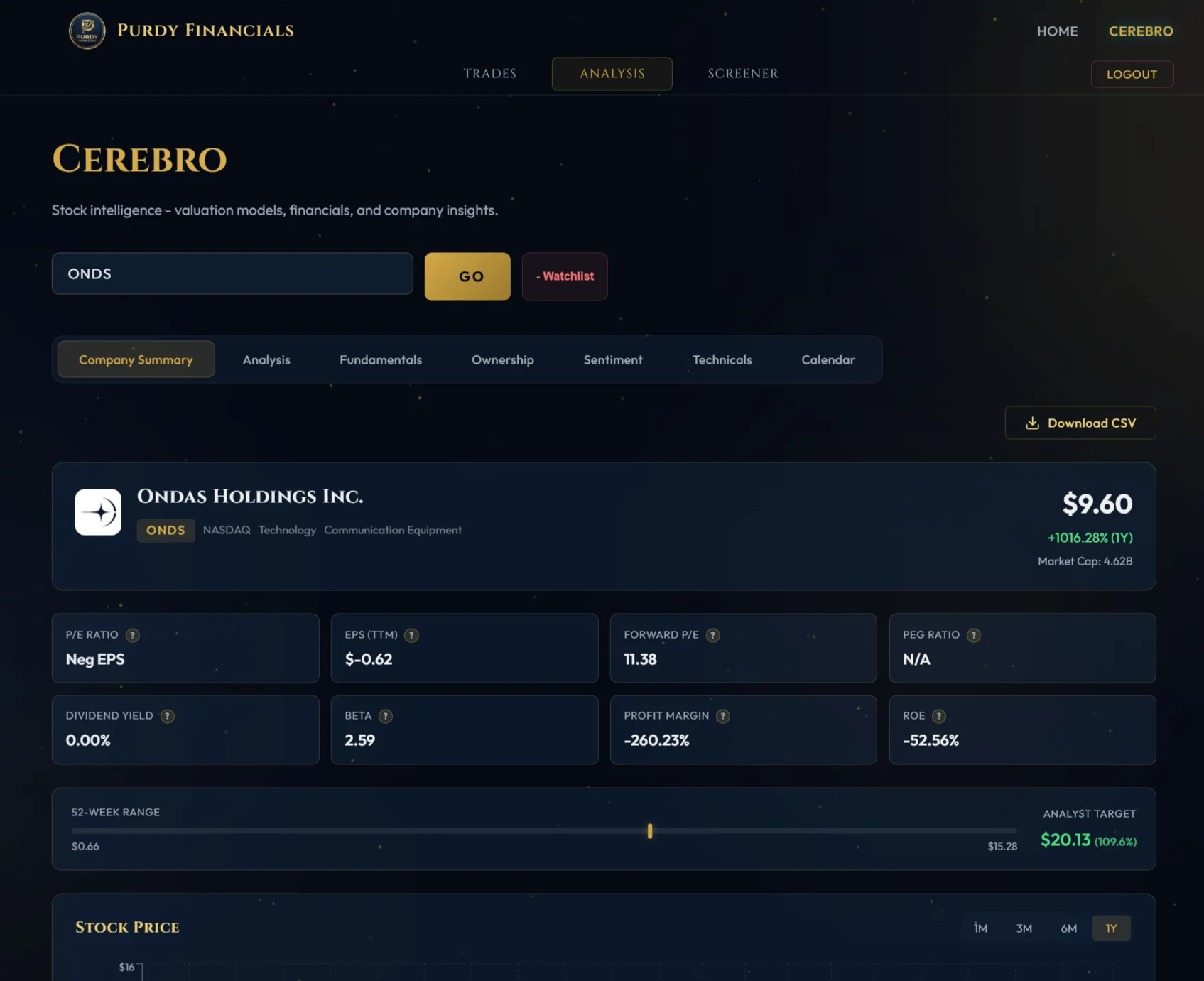
Valuation estimates help you compare possible values with today’s price. They depend on assumptions and available company data; they are a starting point for research, not an exact answer.
Chart tools
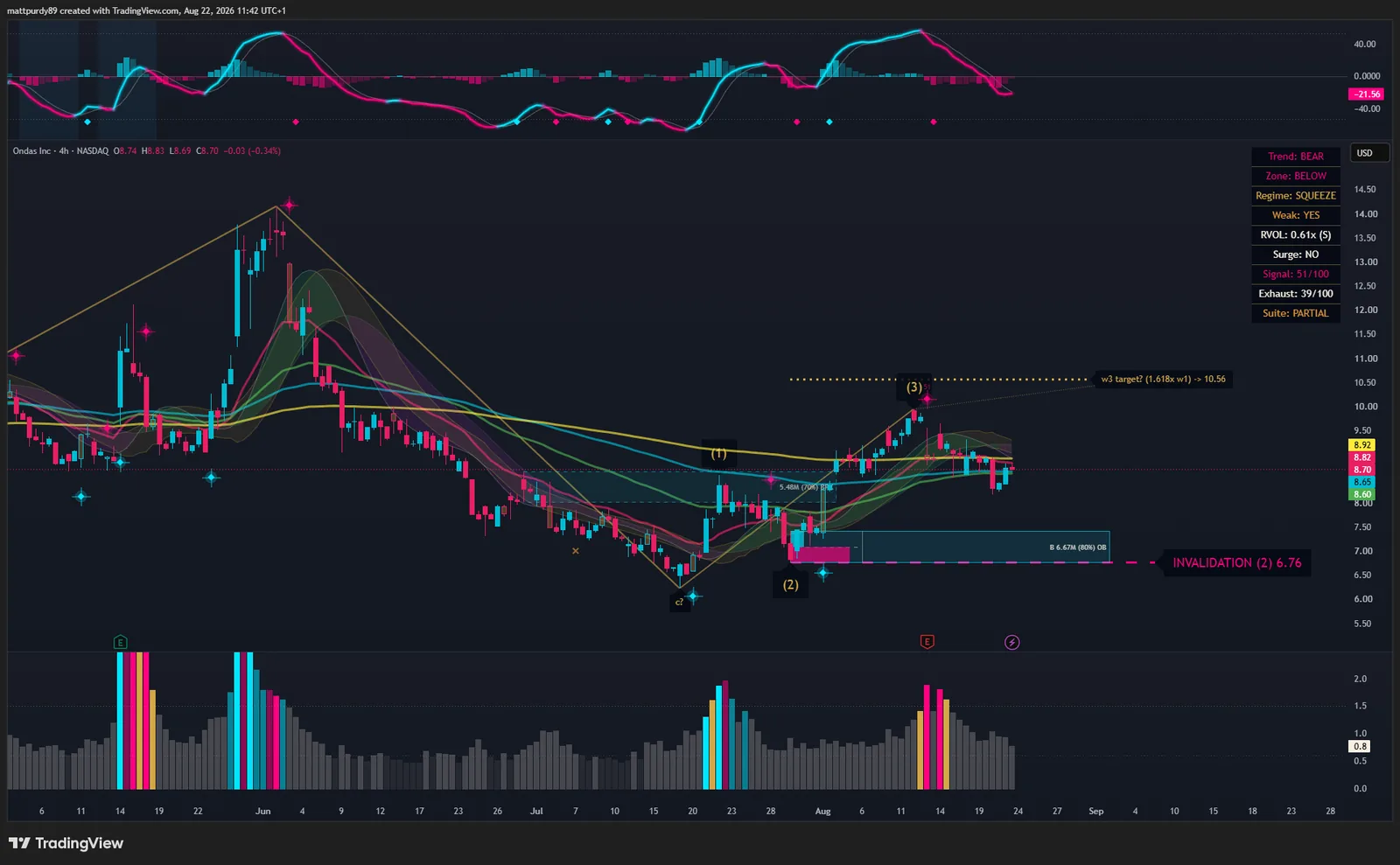
Make your charts easier to read
Our five TradingView indicators highlight price patterns, trends and trading activity. Use them to explore a possible trade and see the price levels that would challenge your idea. You can start with one tool and add others as you learn.
 View full-size screenshot
A record you can review
See what happened to each idea
Cerebro keeps the proposed trade plan and its recorded outcome together, including ideas that lose money. Review the record rather than relying on selected winning examples.
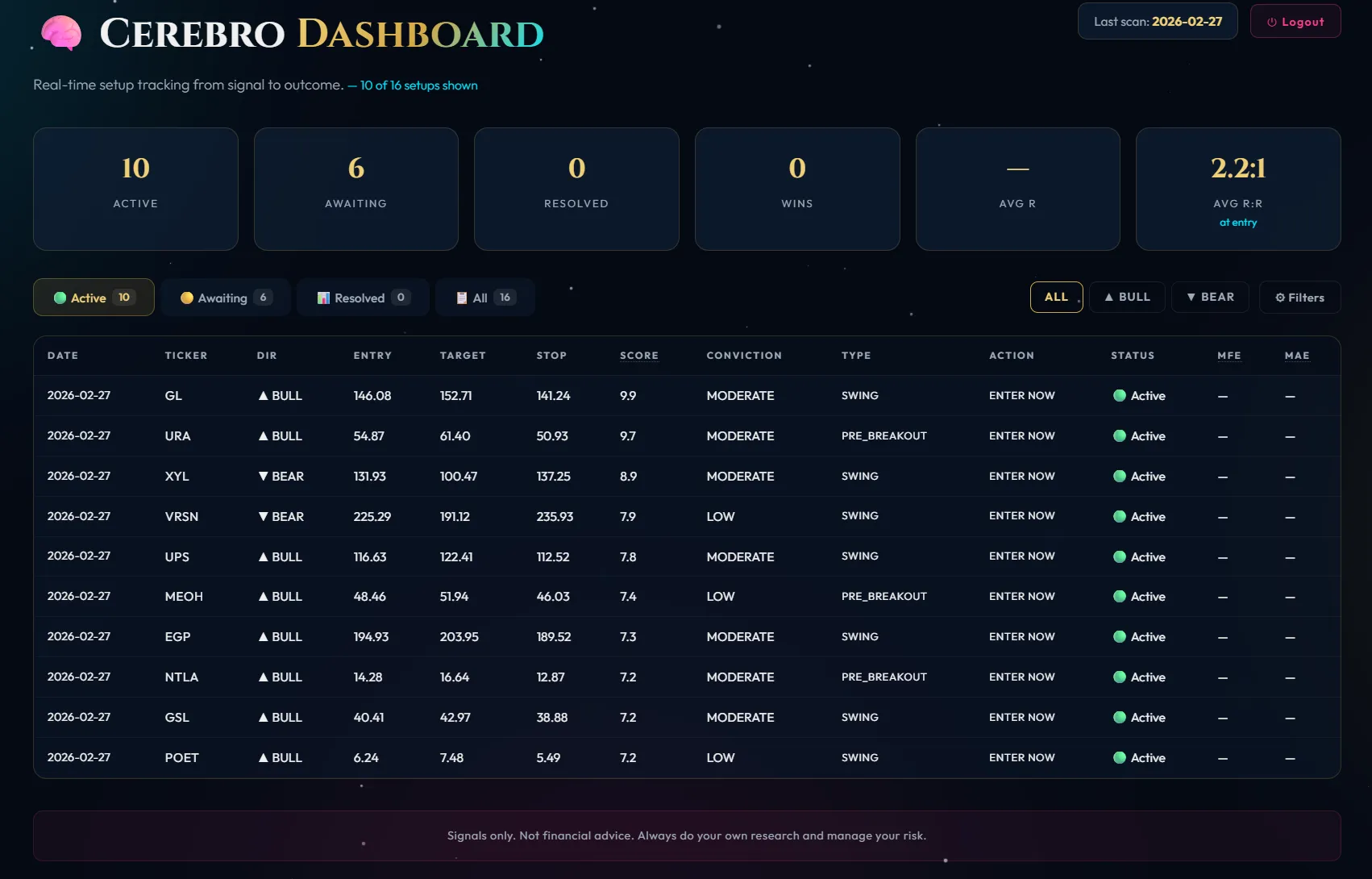
Understand the plan
See the proposed starting price, target and stop: the level intended to limit a loss if the trade goes against you.
Check the outcome
Review how often tracked ideas reached their targets and the recorded gains and losses.
Know the limits
Quotes are delayed and results update on a schedule. Recorded outcomes can differ from real trades because of execution prices and costs.
Getting started
Explore at your own pace
Try the free briefing first. If you choose to join, the member instructions walk you through access and setup.
Choose your membership
Membership is managed through Whop. Follow the access instructions after joining.
View membershipConnect Discord
Connect your Discord account through Whop. Use the same account to sign in to Cerebro when your member access is active.
Add your chart tools
Want to use the indicators? Follow the guide to request access with your TradingView username. TradingView is a separate platform.
Start exploring
Pick a stock idea and look into the company. Help & setup inside Cerebro explains the tools as you go.
Member sign-in7 days free, then $39.99 USD per month
Includes the daily stock report, Cerebro research workspace, five TradingView indicators and community access.
Your questions
Before you join
Take a look before you join
Start with a stock idea.
See how we approach it.
Try the full membership free for 7 days, then $39.99 USD per month. Or start with the free daily briefing.
or start with the free daily digest